Record script videos that feel natural — while you read and look at the camera.
Paste your script, set the speed and record in one take. No awkward pauses, no second guessing — just confident, word-perfect videos.
Everything you need to record like a pro
From script management to 4K export — all in one app.
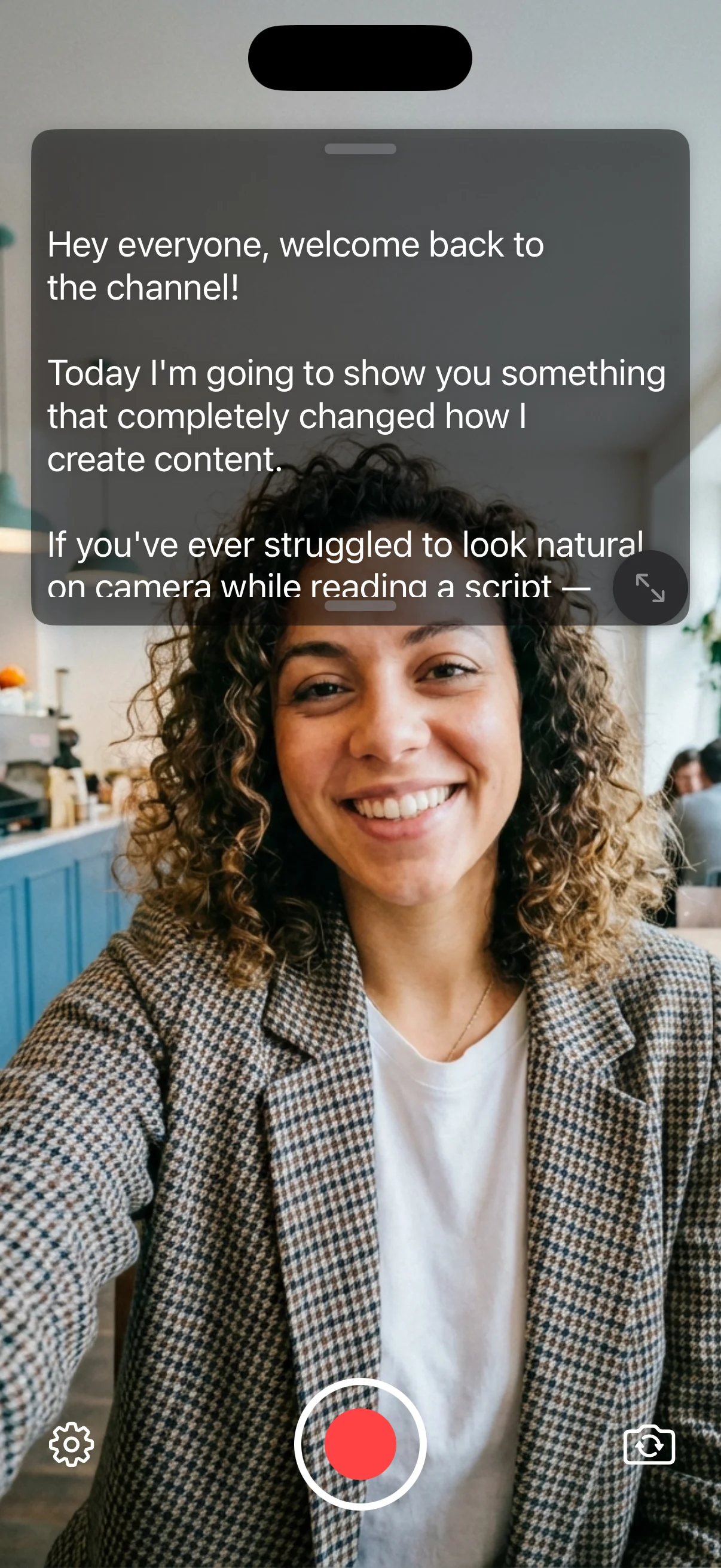
Record script videos
Film talking-head videos with your script floating near the camera, so you stay word-perfect and natural.
Keep all your scripts in one place
Organize ideas, hooks and full scripts in folders instead of random Notes.
Preview and trim your videos
Quickly cut bad takes and export the best version without opening a full editor.
Crop videos for social media
Instantly resize for Reels, TikTok, YouTube Shorts and Stories.
Change the font size
Make text big and readable at arm's length — even on a small iPhone.
Record portrait and landscape
Shoot vertical for social or horizontal for YouTube with one tap.
Export video in multiple formats
Share in HD or 4K, ready for any platform.
4K support
Keep your footage razor-sharp for pro clients and big screens.
See it in action
Customize everything to match your style
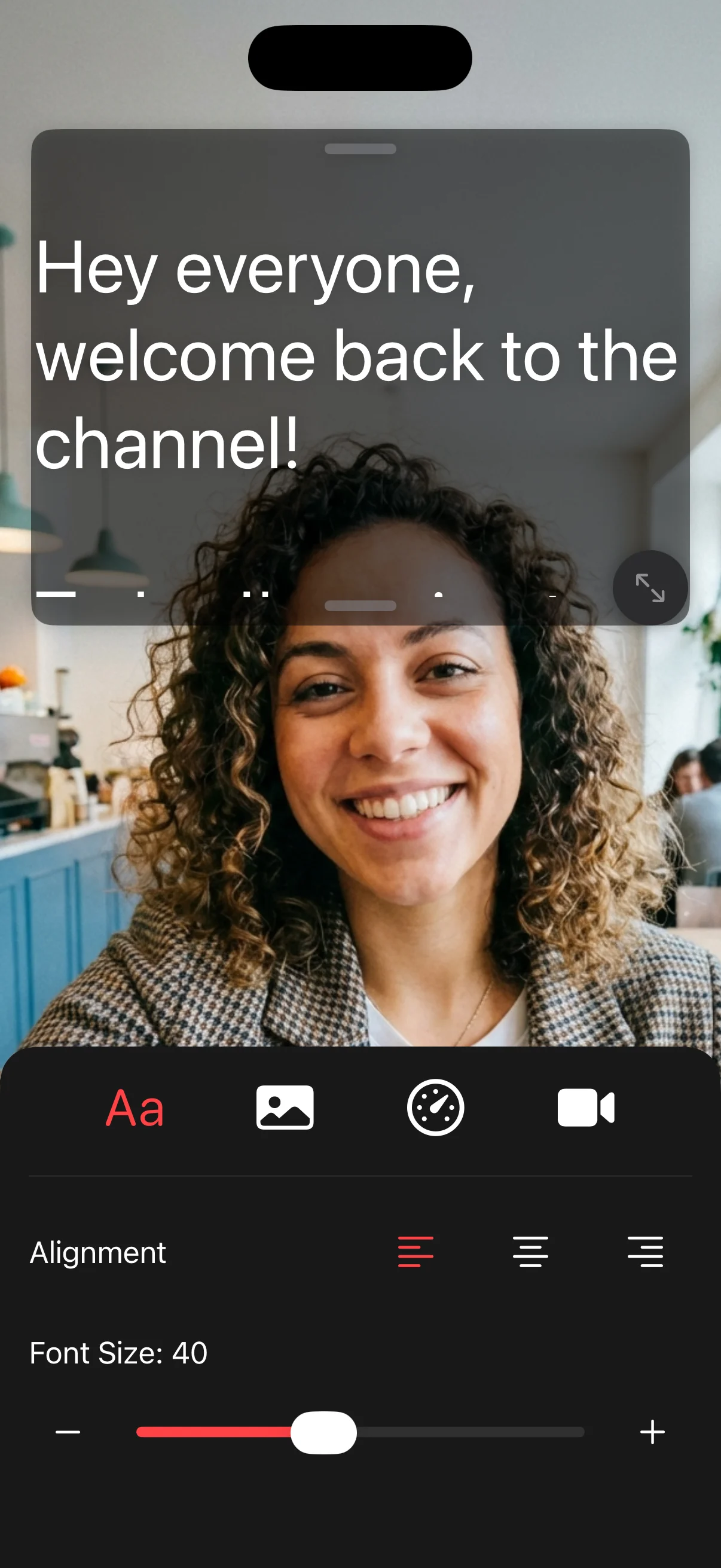
Adjust font size & alignment
Make text readable at arm's length
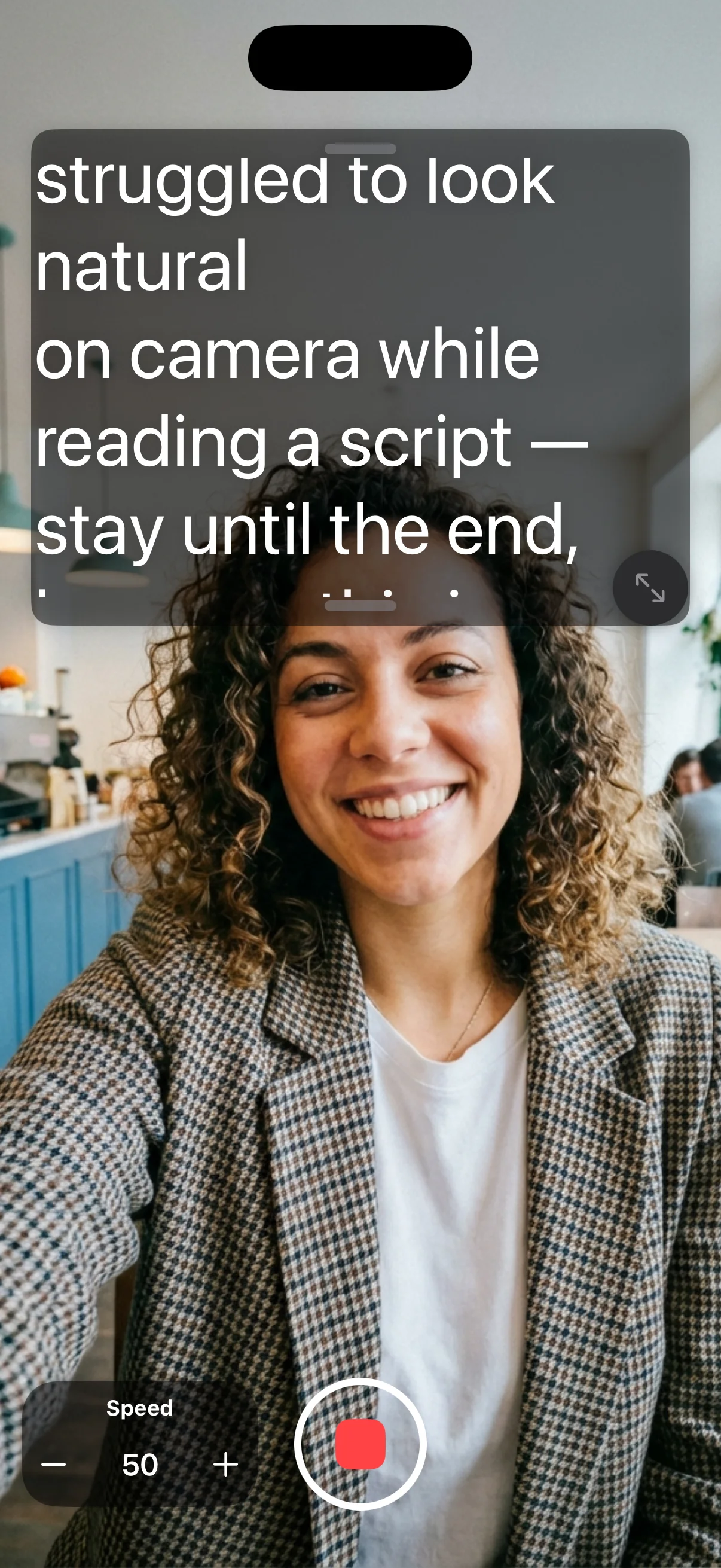
Control scroll speed
Match your natural speaking pace
How it works
Get started in seconds. No learning curve.
Paste your script
Import from Notes, Google Docs, or type directly.
Set scroll speed
Adjust to match your natural speaking pace.
Record while reading
Look at the camera, read the script, and get it right the first time.
Frequently asked questions
Everything you need to know about PromptMe.